.png)
Access and manage SharePoint site workspaces through the PortalTalk Workspaces web parts
A PortalTalk Workspaces web part shows you the links to the workspaces to which you have access rights.
This typically concerns the workspaces of which you are a team member, plus all public workspaces within the organization.
By clicking such a link, you navigate to the relevant workspace.
With regard to the workspaces you own, you can manage the workspace from the PortalTalk Workspaces web part.
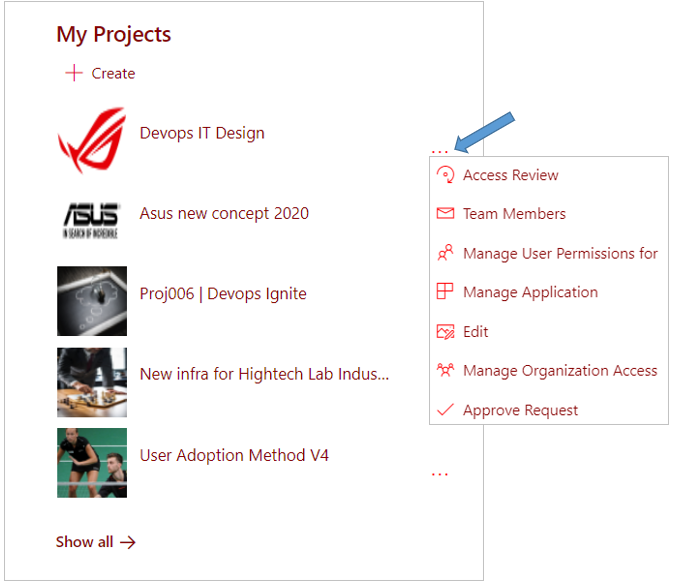
Managing the SharePoint site workspaces involves:
-
Creating and/or approving new SharePoint site workspaces;
-
Provide users with access to your workspaces and determine what usage rights they are allocated;
-
Conduct periodic Access Reviews to determine whether users should still be able to access the workspace and, if so, whether they should keep their current permissions.