.png)
Edit your workspace's general settings
As a workspace owner, you can adjust the general settings of your workspace.
The workspace settings you can adjust are:
- Workspace name
- Description
- Metadata values
- Allow or disallow external team members to see the other external members
- Logo
-
Find the workspace link within the PortalTalk Workspaces web part.
-
Click the ellipsis menu button at the workspace link and select the option Edit.
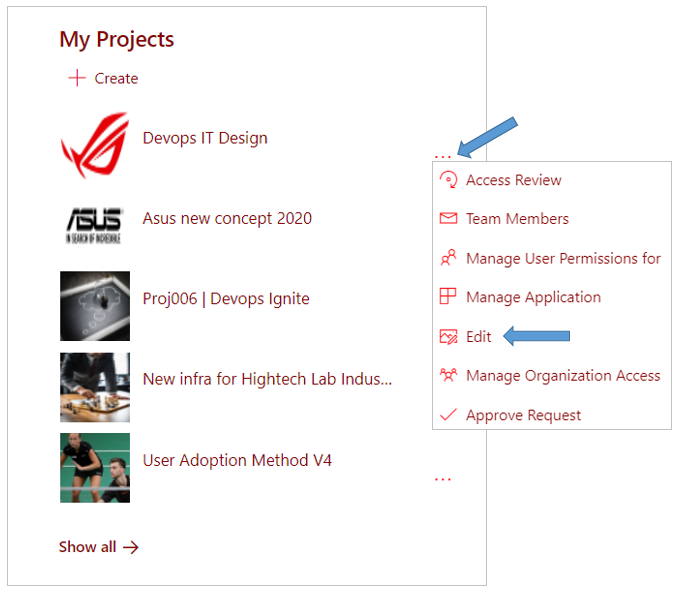
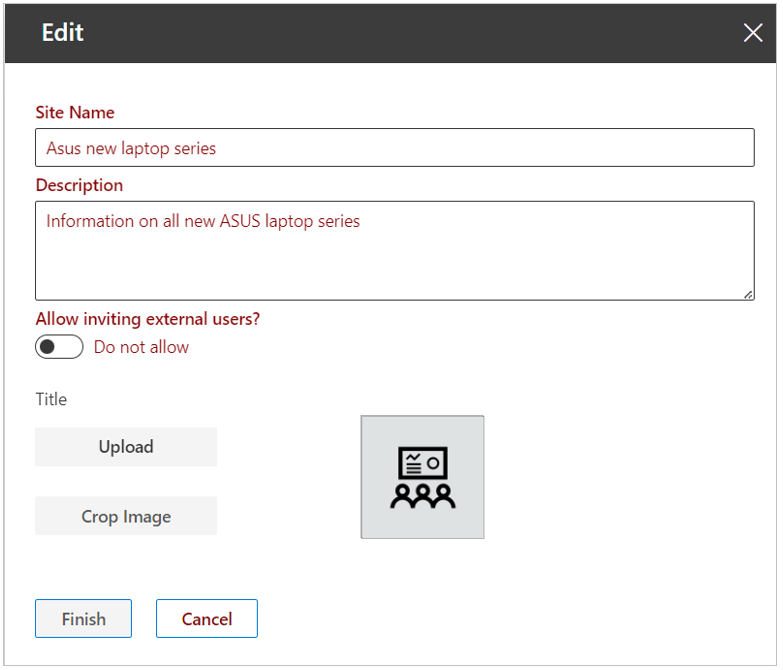
The Edit panel is displayed on the right side of the screen:
-
Site name - Customize your workspace title
-
Description - Customize the description of your workspace. PortalTalk 365's search functionality also searches within the text entered here.
-
Metadata - If specific metadata applies to the workspace category, you can adjust the values here.
-
External members are visible to other external members (Allow/Disallow) - Specify whether users from outside the organization can be invited to your new group.
-
Click Upload if you wish to replace the logo image for your workspace.
In the filebrowser window that opens, navigate to the appropriate image file and open it. -
Use the option to crop the image if necessary.
-
Click Finish.