.png)
The workspace categories
In the PortalTalk Workspaces web parts, the various workspaces are organized into categories that are clearly recognizable to the organization, e.g. Communities, Knowledge Hubs, Projects, etc.
Each category is further broken down into three subcategories: My, Public and Archived.
Within the PortalTalk Workspaces web parts, you only see the links of the workspaces that you have access to. You navigate to a workspace by clicking its link.
The workspace links within the various subcategories provide access to the workspaces for which you have access permissions.
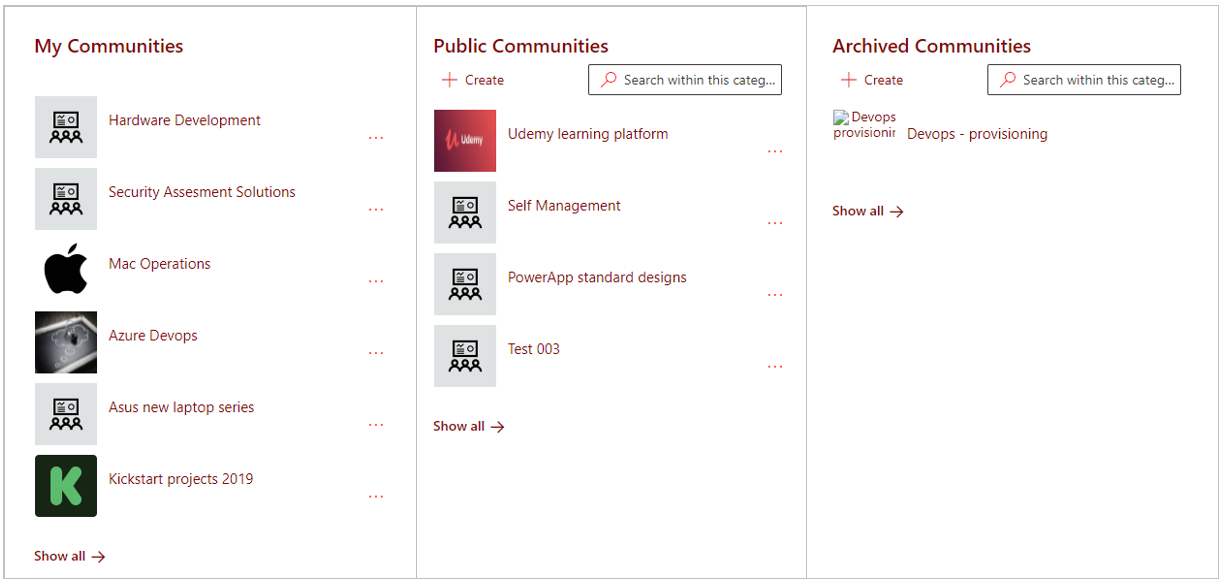
Image above: The links to the workspaces within the 'Communities' category, broken down in the three subcategories 'My' , 'Public' and 'Archived'.
-
My - When you are a team member of a workspace, you will see the its link in this subcategory.
-
Public - If the owner of a workspace has set access permissions for the entire organization (usually Read Only), then all intranet users will see its link in this subcategory.
-
Archived - Links to archived workspaces of which you are an internal team member or to which the entire organization has access, can be found in this subcategory.