.png)
Sort and filter the workspaces list for optimal overview
If you are a member of a large number of workspaces, the board view of your Workplace page can be restrictive in the overview.
Your Workplace’s list view displays each of your workspaces with its various metadata: Workspace title, Category, Workspace type, Creation date, Date of most recently performed Access Review, Number of internal team members and Number of external team members.
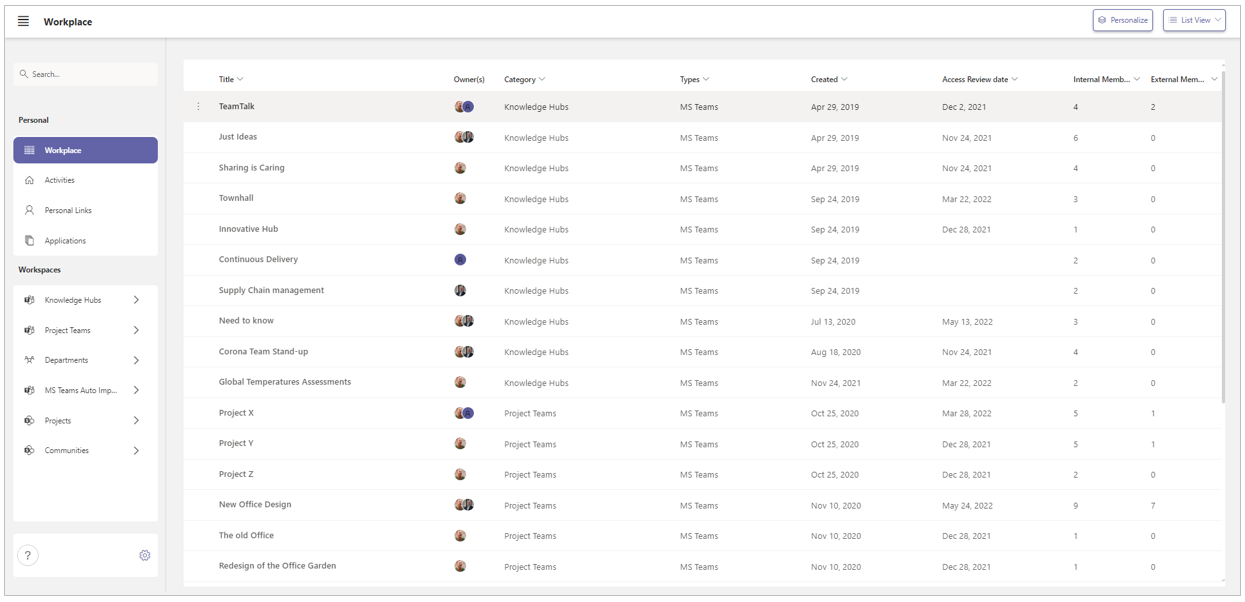
The list view displays your workspaces only, not your personal links or the company applications.
The number of workspaces displayed in the list view is unlimited. All workspaces you are a member of are listed - one line per workspace.
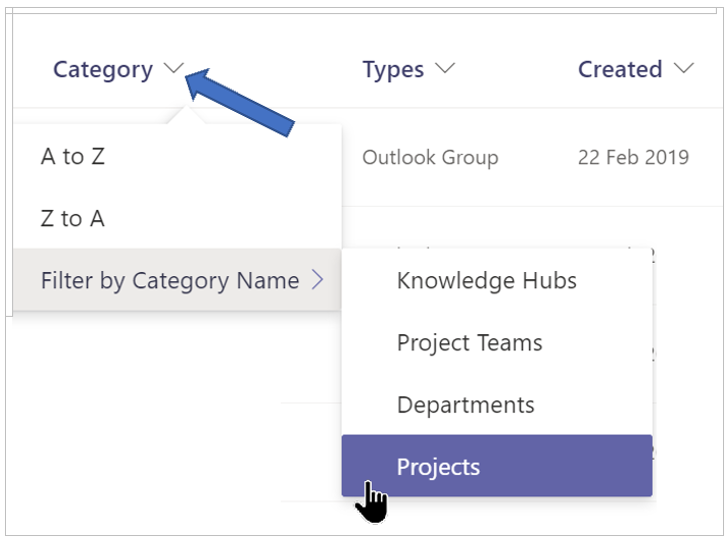
You can filter and sort this list on the various columns.
-
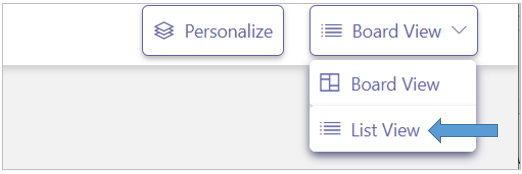
At the top right of your Workplace page, select the List View option.
-
Click the list icon immediately to the right of a column header to choose to filter or sort the list of workspaces by the contents of the column.