.png)
Determining the position of a tile in the board view
It is useful to have the workspaces, business applications and personal links you work with frequently, directly available on your Workplace page.
If you are a member of a large number of workspaces within for instance, the Communities category and you have made one or two tile rows available for that category in your Workplace page, it may very well be that a community within which you happen to work a lot, is not included in these rows and is therefore not available on your Workplace page.
To get the correct tiles visible in your Workplace, you must position them so that they are included within the rows displayed in your Workplace.
This also applies to the tiles of business applications and personal links.
You can drag a tile to any position you want within its category.
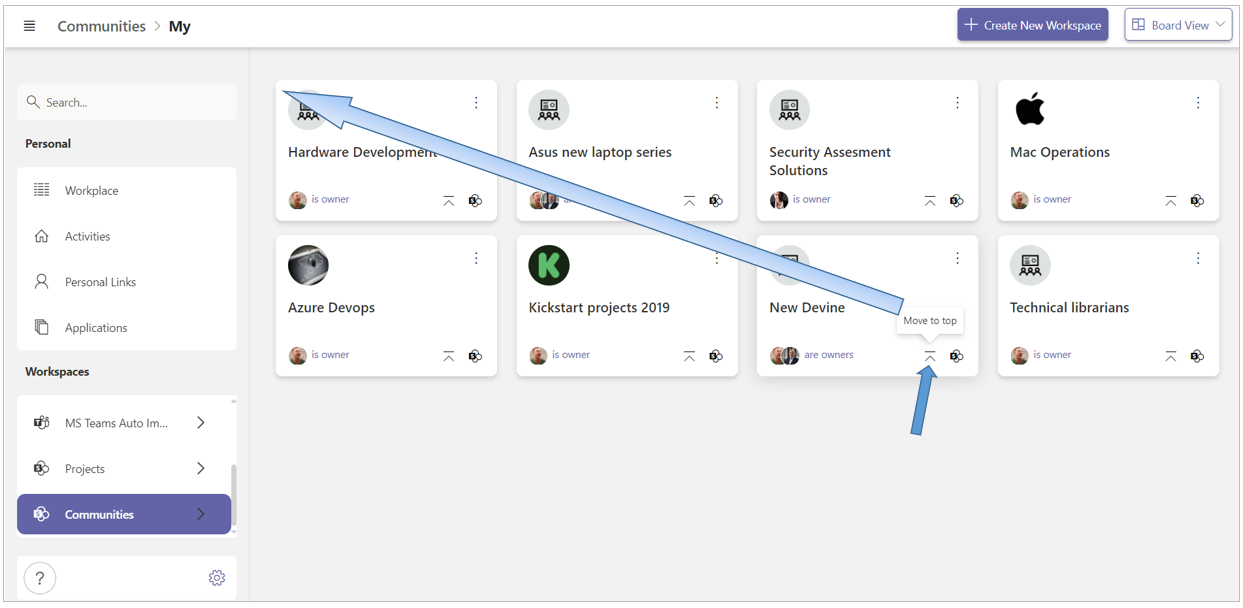
You can also place a tile at the very front - at the far left position of the top row - with a single mouse click.
Drag a tile to a specific position
You can drag a tile to any position you want within its category.
-
Select the concerned category in the left navigation pane.
-
Hold down the mouse button.
-
Drag the tile to the desired position, for instance to one of the rows displayed on your Workplace page.
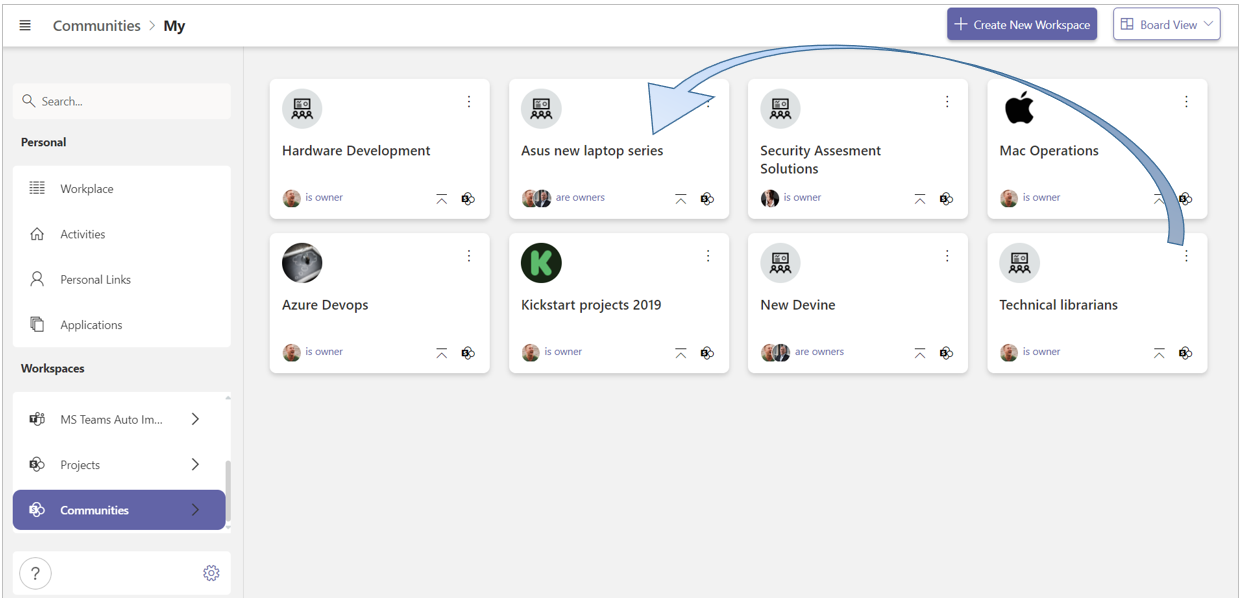
On your workplace page, you can reposition by drag and drop the tiles that are displayed.
-
Click Workplace in the left navigation pane.
-
Click on the tile you wish to reposition on your Workplace page.
-
Hold down the mouse button.
-
Drag the tile to the desired position within its category.
This way you can position the tiles of the workspaces and applications with which you are currently working most intensively, within easy reach.
Place a tile in the top left position with a single mouse click
With a single mouse click you can place a tile at the very front, i.e. on the far left position of the top tile row.
By clicking the Move to top icon of a tile, you place it on the far left position of the top row of its category.
As a result, the tile on your Workplace page, within the relevant category, will also be placed at the very top and front.