.png)
Access your personal links from your personal workplace
You can access your personal links from your personal workplace, provided you have added the category Personal links to your workplace. If necessary, consult the page about personalizing your workplace.
Your personal links are displayed as tiles and are created and maintained by you.
Refer to the pages on Personal Links for an explanation of how to create and maintain your personal links.
-
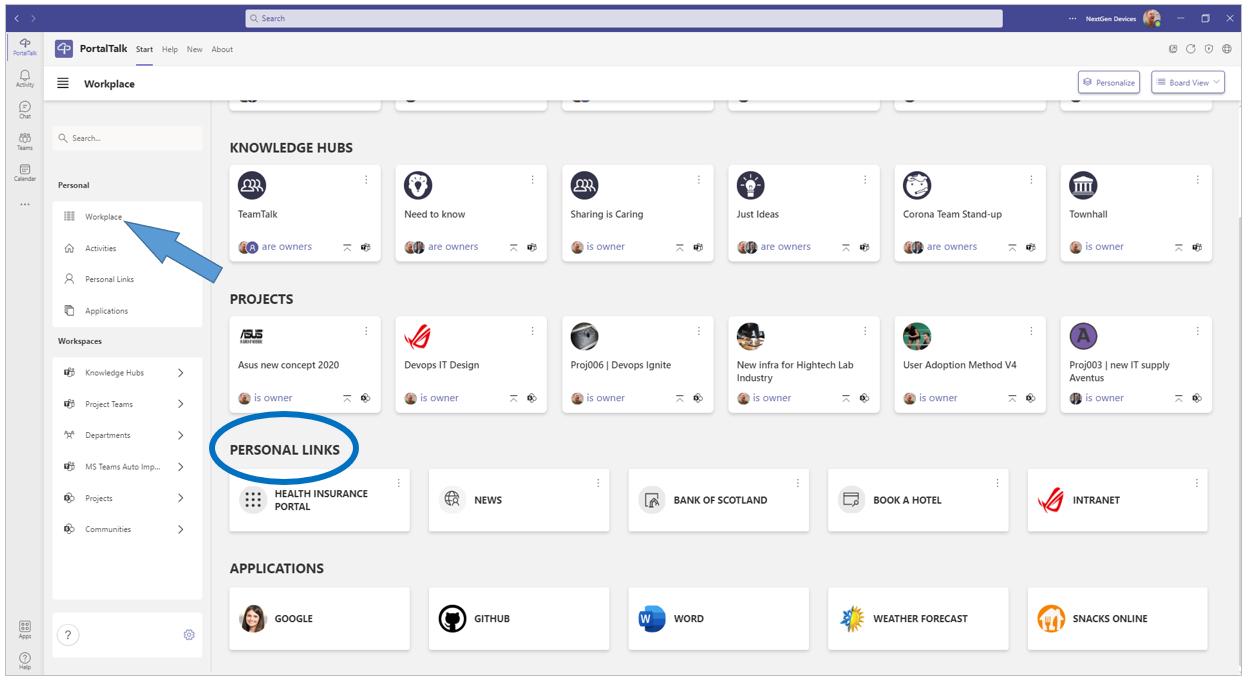
Click, in the left navigation panel, on the navigation option Workplace.
-
Activate the board view (your personal links are not displayed in the list view).
-
Scroll to the category Personal links.
-
Click the tile of the personal link you wish to use, to launch the linked application or site in your web browser.