.png)
Handle role requests from your workspace team members
The team members within a workspace can request additional permissions, extending their existing permissions to increase their scope of activity within the workspace.
These requests are signaled to you as a workspace owner, through notifications in your activities dashboard and also through a request email.
It is the task of the workspace owner to review and approve or reject these role requests.
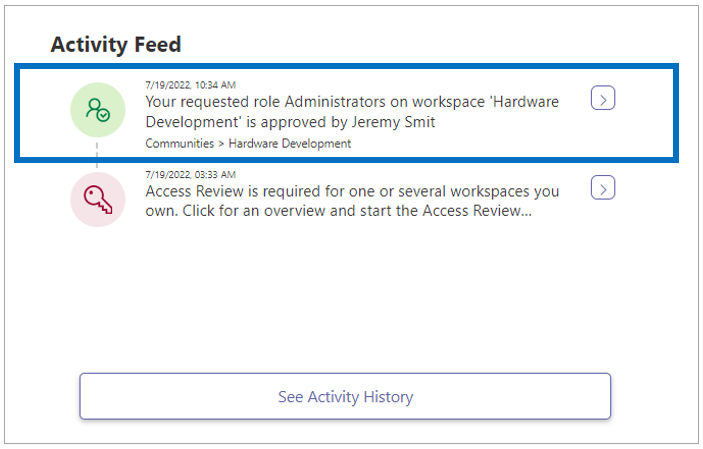
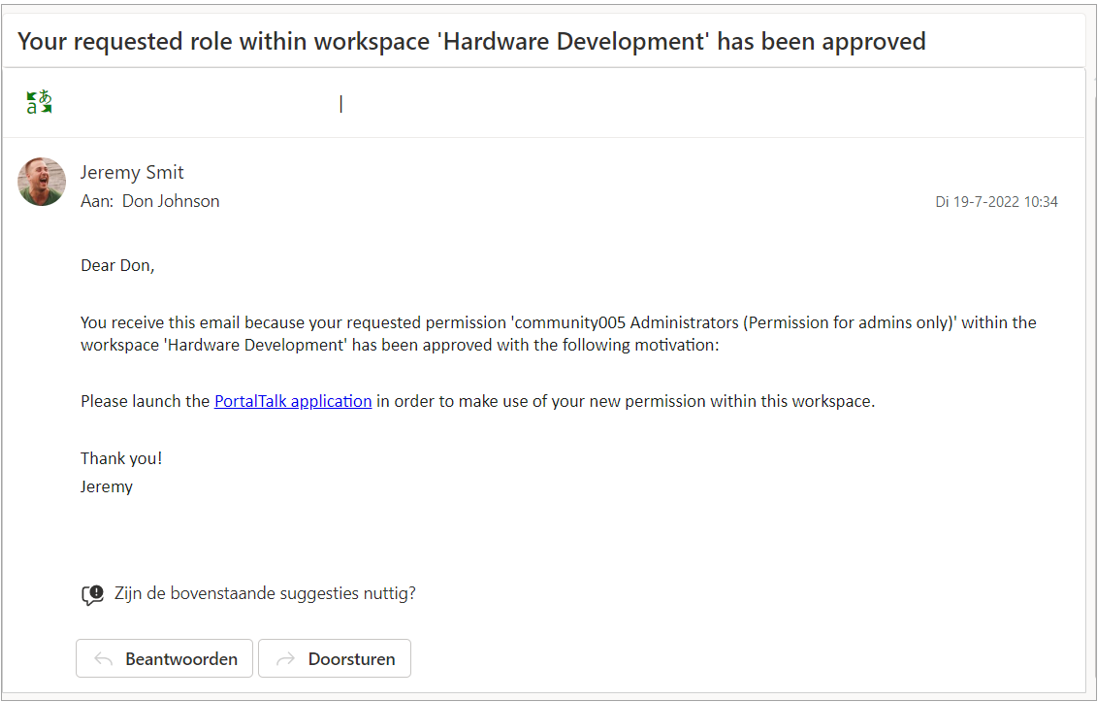
Your response is automatically fed back to the requester by means of a notification on their Activity Feed and also through an email message.
If necessary, refer to the chapter on requesting additional roles for a description of the actions involved.
The text of PortalTalk' s automated email messages can be set/adjusted by your application administrator (see Managing the templates for automatically generated email messages).
Handle role requests from your activity dashboard
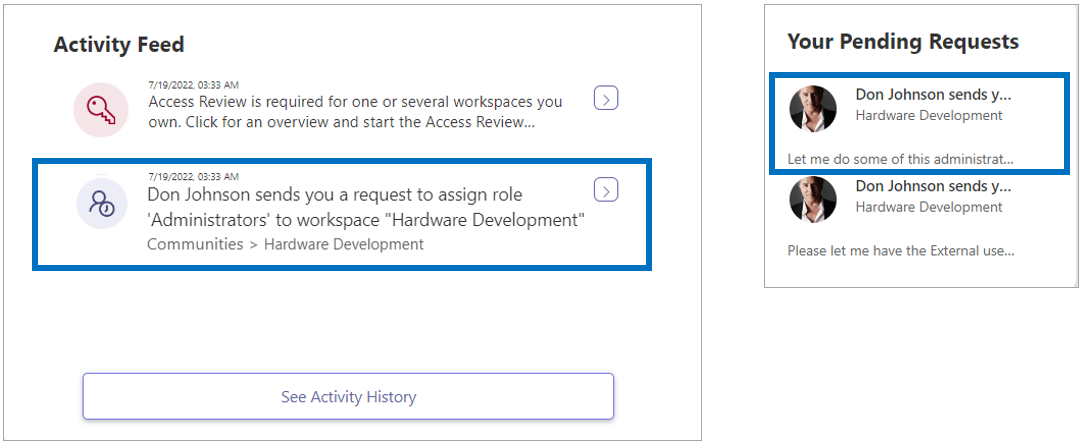
A role request within a workspace that you own is registered on your dashboard in both your Activity Feed and the Your Pending Requests box.
-
Click the notification in either box.
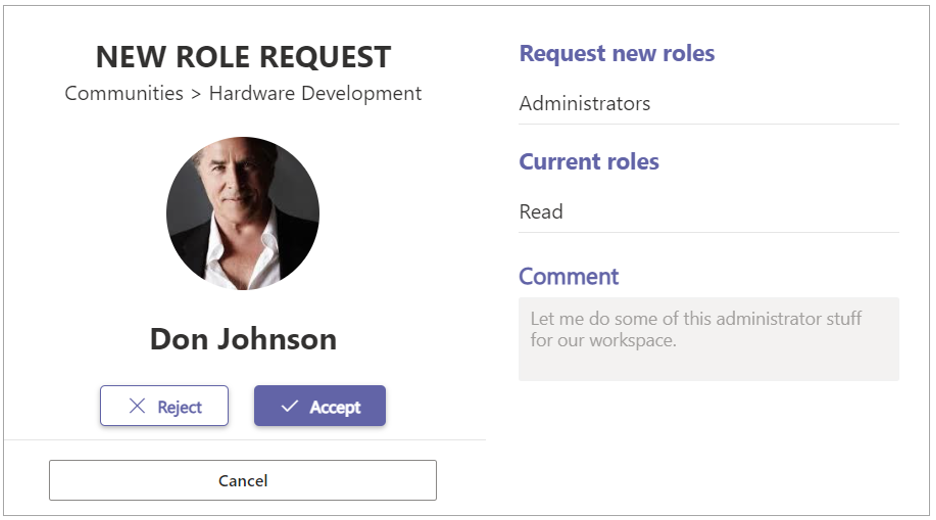
The New Role Request form is displayed:
-
Either click Accept or Reject.
Your choice is confirmed:
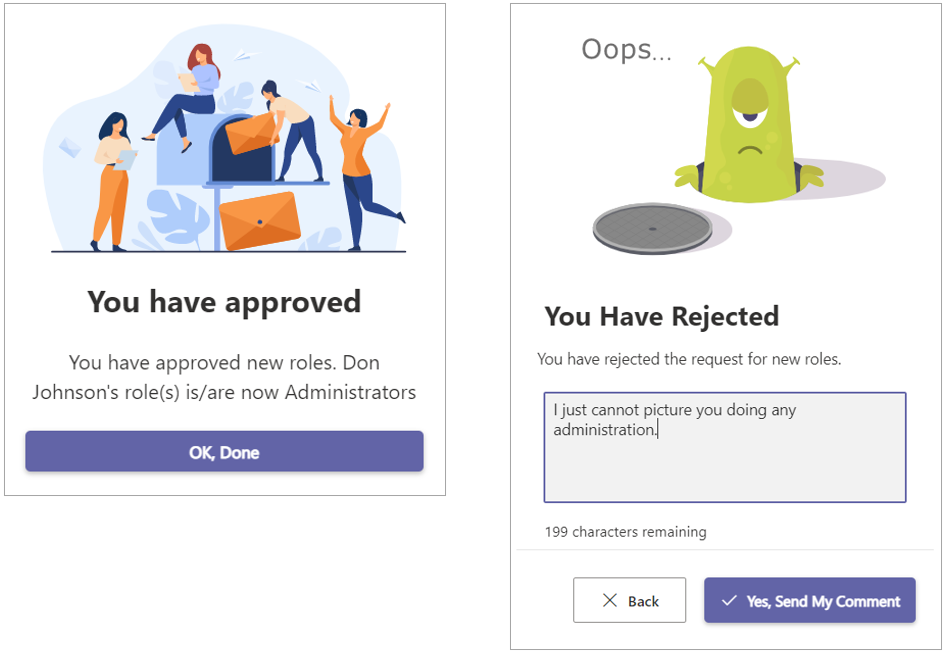
In the event of a rejection, you can add an explanatory text. This text is part of the automatic feedback to the requester.
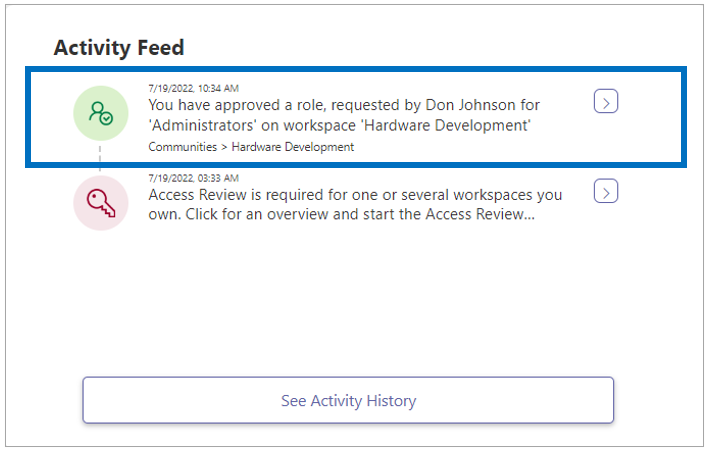
Your action is also registered in your Activity Feed:
Handle role requests from the request email
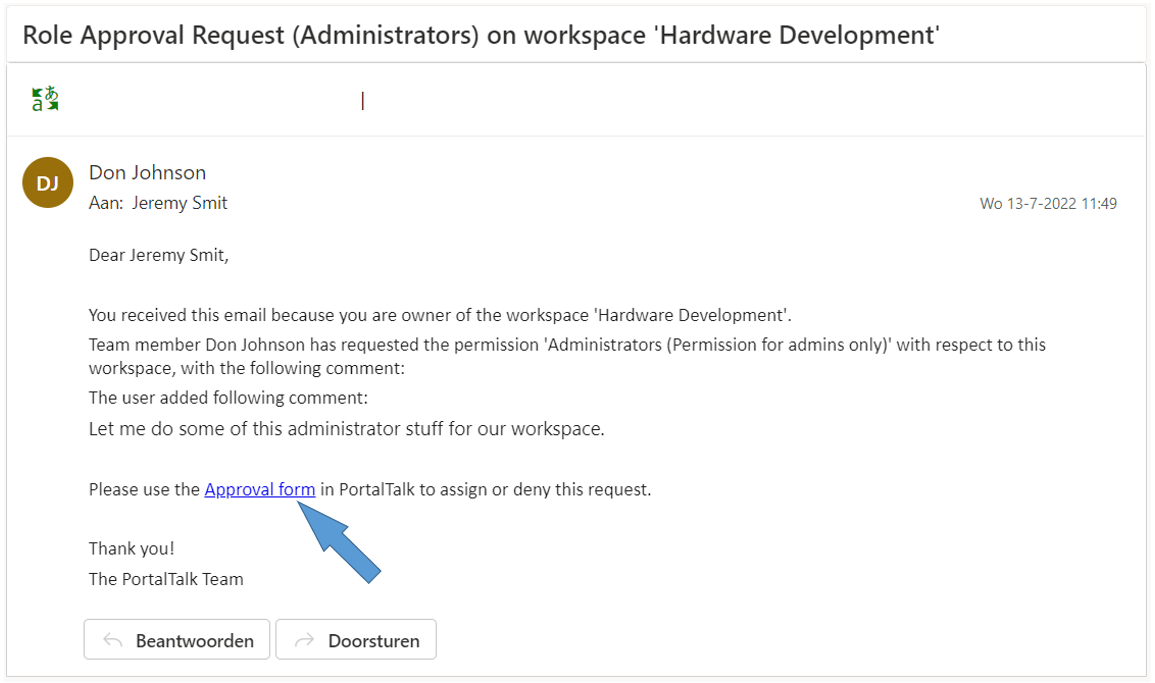
You receive an automated email notification of each role request within a workspace that you own.
-
Click the hypertext link in the email message.
The New Role Request form is displayed:
For the subsequent actions you can follow the same instructions as for handling role requests from your activities dashboard.
The feed back to the requester
The requester will receive a notification of your action in their Activity Feed and also a confirmation per email message.