.png)
The workspace owner
If you manage a workspace, be it a SharePoint site or a Microsoft Teams team, you are the workspace's owner.
The owner of a workspace is responsible for a number of tasks;
-
Creating and/or approving new workspaces;
-
You give users access to your workspace and determine which usage permissions the are allocated;
-
You conduct periodic Access Reviews to determine whether users still require access to your workspace and, if so, whether they should keep their current usage permissions.
With PortalTalk you have:
-
Instant access to the workspaces relevant to you, in both MS Teams and SharePoint
-
Overview of your workspaces by organizing them within workspace categories
-
Insight into the organization's public workspaces
-
Access to archived workspaces and workspace-content
-
Direct access to business applications
-
Control over your personal links to any online applications and websites
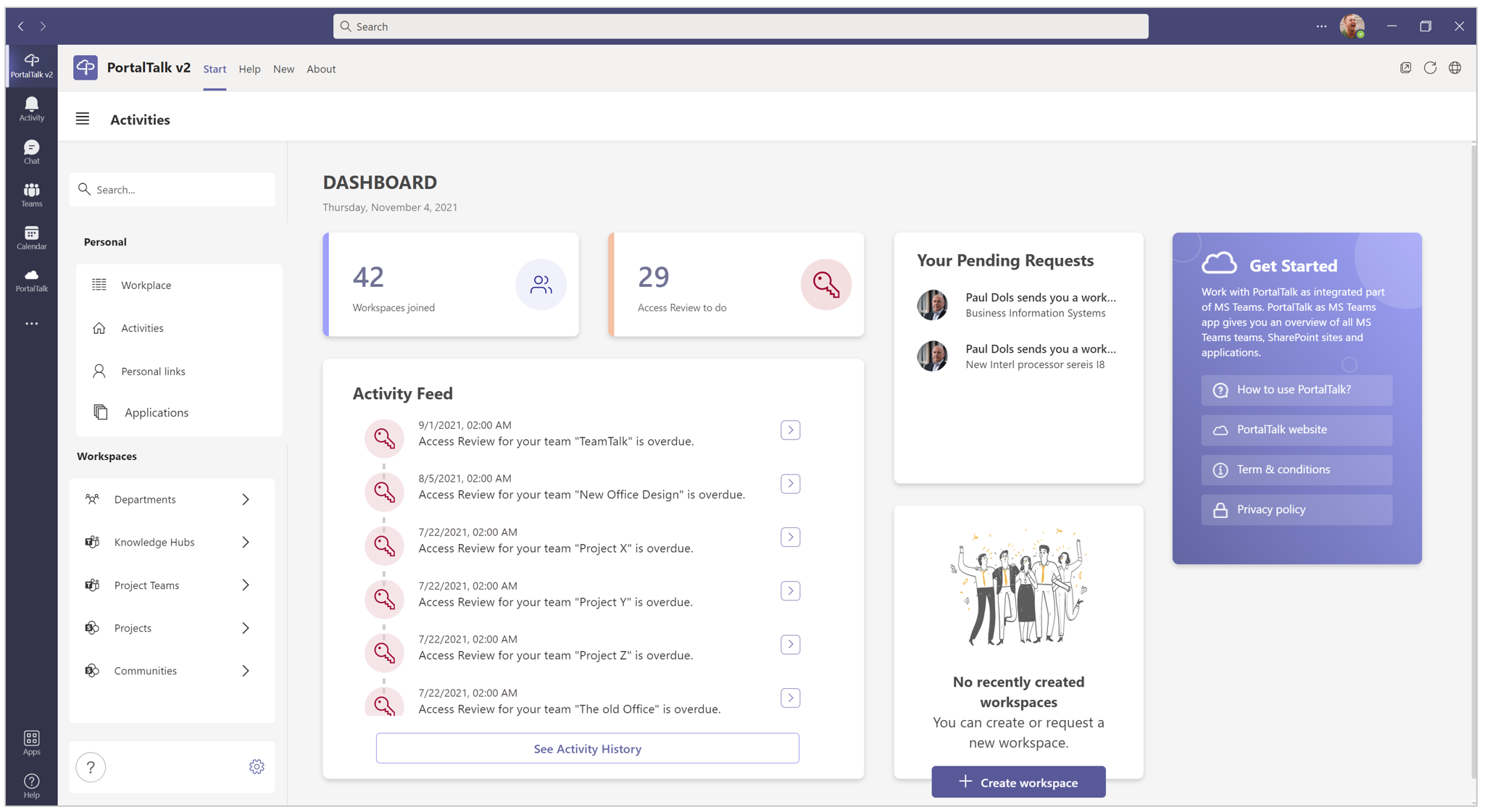
PortalTalk gives you instant access to the workspaces that are relevant to you, in both MS Teams and SharePoint
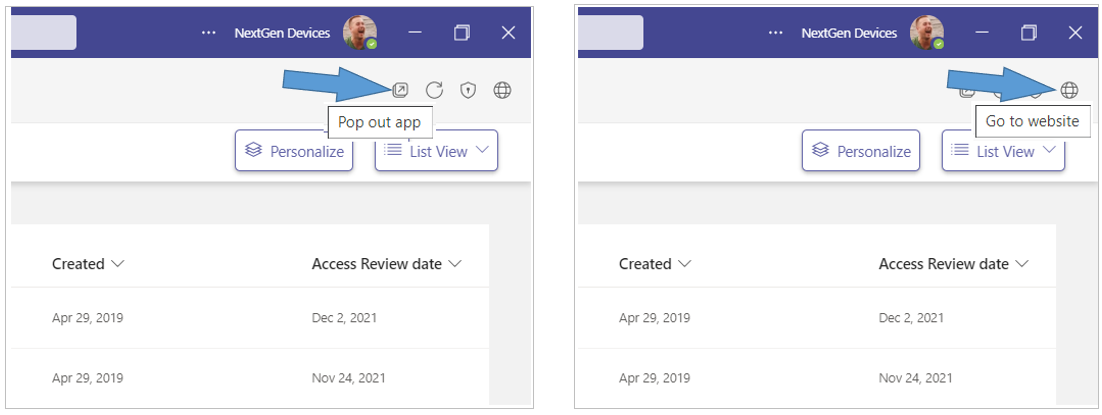
Tip: Open the PortalTalk app in a separate MS Teams window or in the web browser to easily navigate between the app and the various workspaces.
-
Click the Pop out app option to have the PortalTalk app available in a separate window.
-
Click the Go to website option to have the PortalTalk app available in a browser tab.